Built for very large mailboxes
Messages appear while MBox Office discovers the archive. Interrupted indexing can resume from its last safe position, and the complete mailbox never needs to sit in memory.

MBox Office 2.0 · macOS 15+
Open huge Google Takeout, Thunderbird, and Apple Mail MBOX archives. Search every message, recover attachments, export what matters, or restore mail to an active IMAP account.
A native Mac archive workspace
Messages appear while MBox Office discovers the archive. Interrupted indexing can resume from its last safe position, and the complete mailbox never needs to sit in memory.
Find mail by sender, recipient, subject, date, attachment, Gmail label, folder, or message text. Choose fast header search or build a reusable content index.
Works with Google Takeout, Thunderbird, Apple Mail export packages, standard MBOX files, MBX files, common format variants, and legacy text encodings.
01 · Find
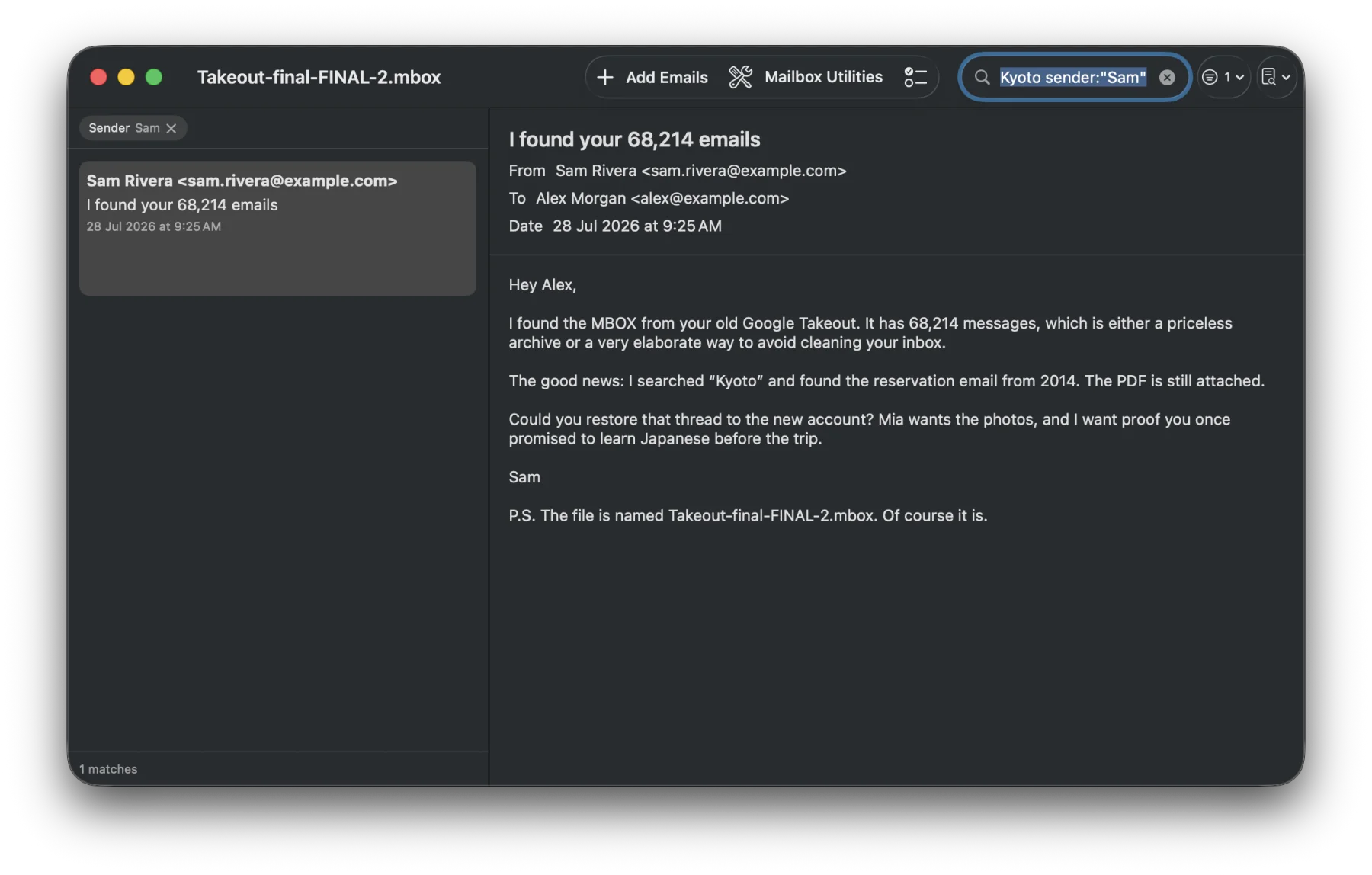
Search sender and recipient addresses, dates, Gmail labels, folders, attachments, and full message text. Structured filters such as has:attachment, from:, after:, and mailbox: help narrow even enormous archives.
02 · Recover
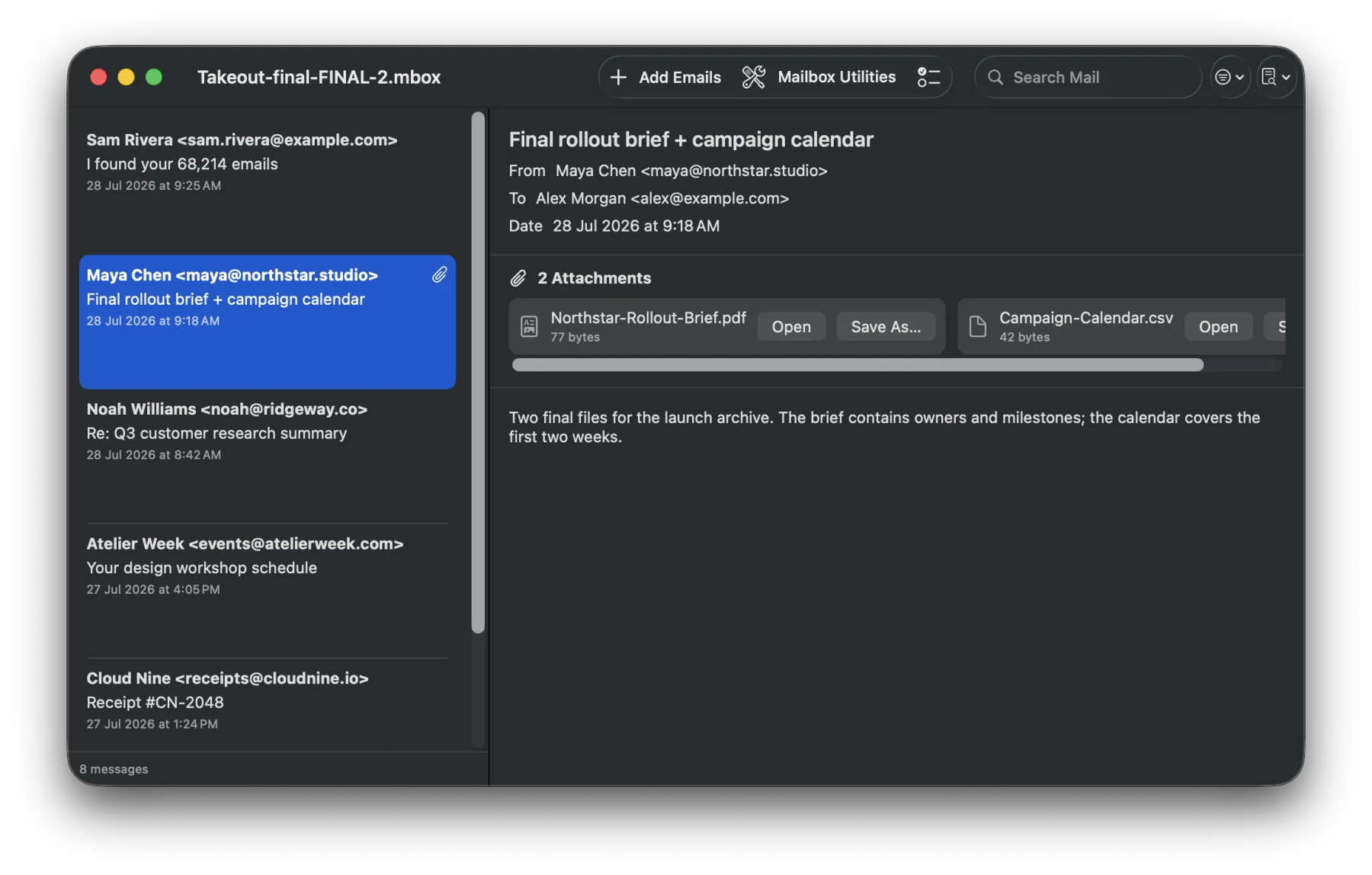
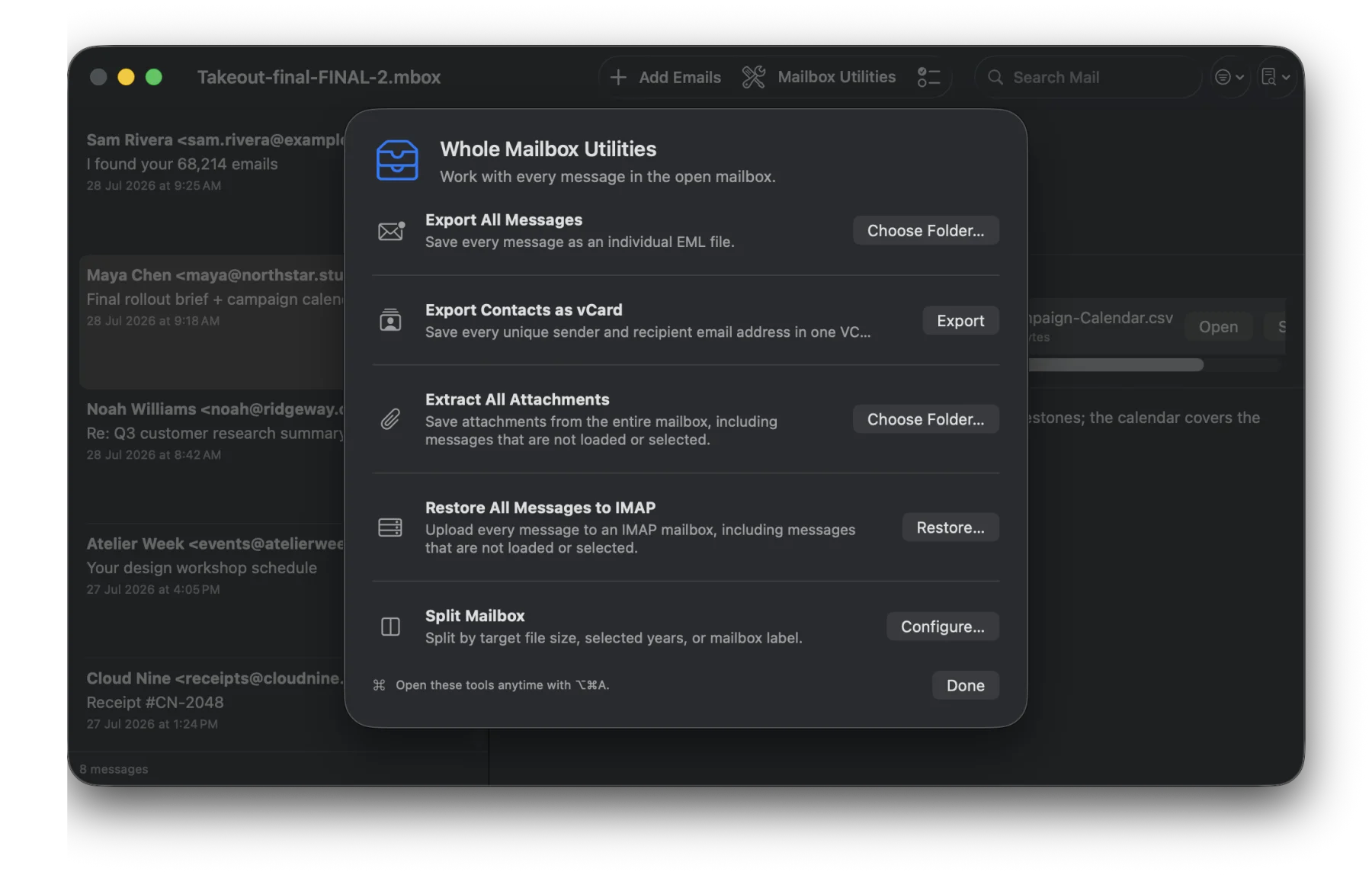
Export selected messages or the complete mailbox as standard EML. Save every unique contact in a VCF file, extract attachments in bulk, print messages or save them as PDF, and safely add EML files to an archive.
03 · Organise
Split a mailbox by target file size, year, sender, or mailbox label. Preview the result before writing anything, and run long operations in the background with pause, resume, and progress reporting.
04 · Restore
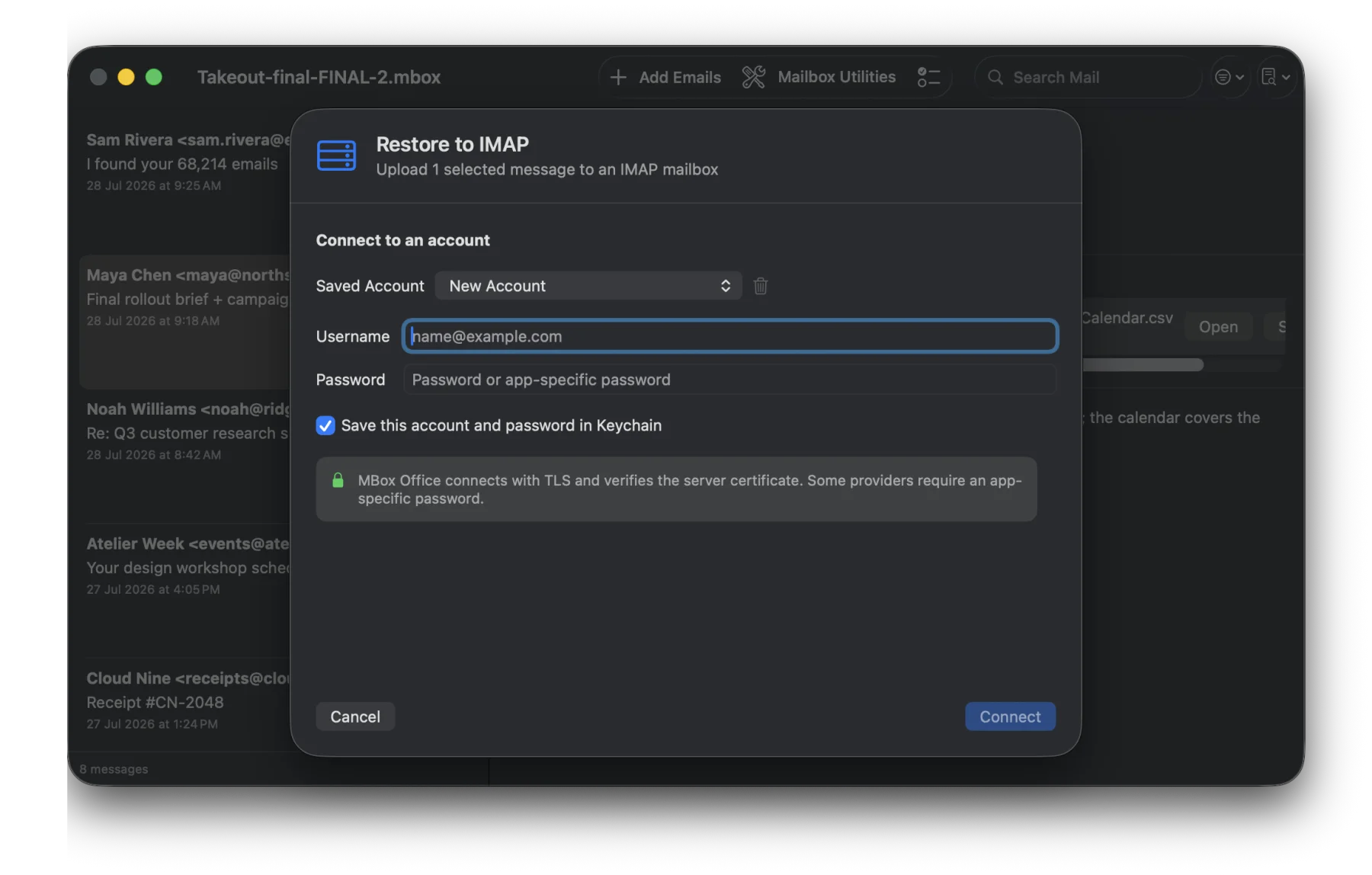
Restore selected messages or migrate the complete archive to any standard IMAP mailbox. Connections use verified TLS, destination mailboxes can be selected or created, and remembered passwords stay in the macOS Keychain.
Private by default
Opening, indexing, searching, splitting, and exporting happen locally. No Technichor account is required. HTML is sanitised, JavaScript is disabled, and remote images remain blocked until you choose to load them.
One purchase · No subscription
Requires macOS 15 or later.
Get MBox Office